Launching soon · macOS
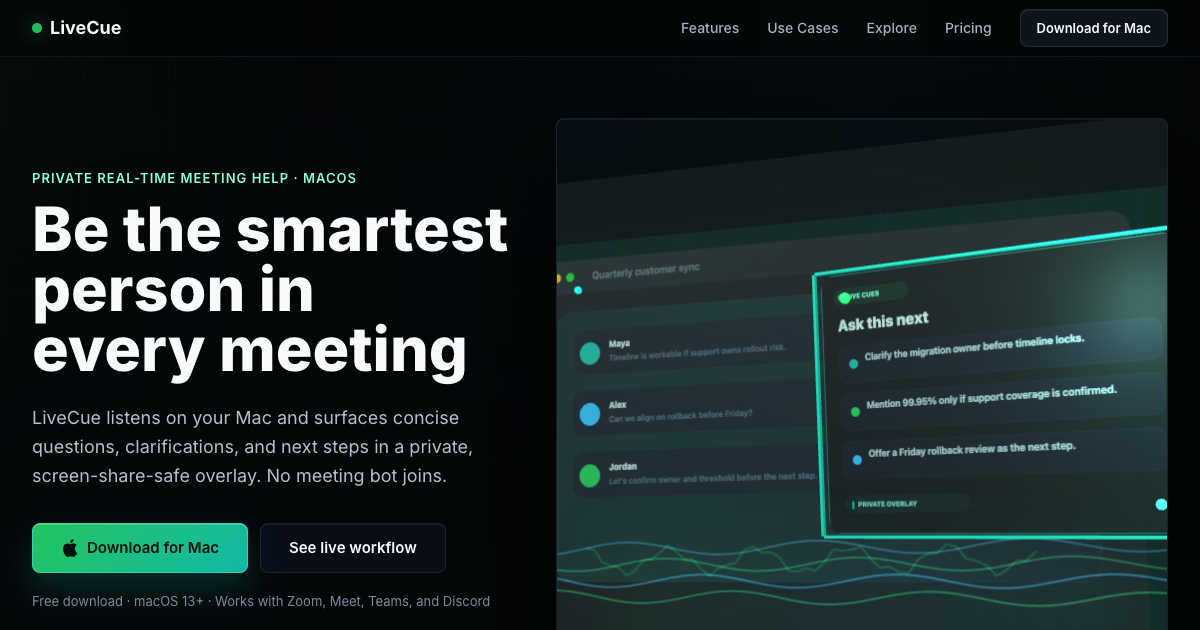
LiveCue listens to your call and tells you what to ask, what to clarify, and what to say — in real time. Like having a brilliant advisor whispering in your ear.
One email, the day it launches · macOS 13+ · See how it works
Features
Sharp follow-up questions, points to clarify, and action items appear as the conversation unfolds. Never miss the right moment to speak up.
Add your resume and background, and LiveCue helps you recall your own experience and frame strong answers — so you walk in prepared and confident.
One shortcut analyzes what's on the shared screen. Get instant feedback on code, diagrams, slides, or whiteboard problems.
Captures your mic and the call audio at the same time, as separate channels — so it understands both sides of the conversation.
End any session with a structured summary — decisions, open questions, action items, and a draft follow-up ready to send.
The overlay is hidden from screen share on Zoom, Meet, and Teams, so your notes stay private to you. No bot joins your call — and you stay in control.
Use Cases
Get real-time answer suggestions based on your resume. Walk into any behavioral, technical, or case interview with confidence.
Never zone out again. LiveCue tracks decisions, surfaces action items, and tells you when to speak up with the right question.
Get talking points, objection handlers, and key details surfaced live. Close deals with the right thing to say at the right time.
Follow along with any talk or lecture. LiveCue captures key points and surfaces questions you should be asking.
How It Works
Open any meeting app. Launch LiveCue — it listens to both sides of the conversation automatically.
LiveCue surfaces the right question to ask, the detail to clarify, and the action item to capture — live.
End the session with a structured recap — decisions, open items, and a draft follow-up ready to send.
Why LiveCue
Traditional tools give you a transcript after the call ends. LiveCue gives you the right thing to say while the call is happening.
| Traditional tools | LiveCue | |
|---|---|---|
| When it helps | ✕ After the meeting ends | ✓ Live, during the call |
| Real-time nudges | ✕ Not available | ✓ Questions, clarifications, action items |
| Interview prep | ✕ Not available | ✓ Answers ready from your profile |
| Screen analysis | ✕ Not available | ✓ Instant feedback on shared content |
| Privacy | ✕ Bot joins the call | ✓ Private overlay, only you can see |
| Where it runs | ✕ Vendor cloud | ✓ Locally on your Mac |
Pricing
30-minute trial, once
per month
per month
Need more time? Top-up packs: 10 hours for $7 · 25 hours for $15. Never expire.
FAQ
LiveCue uses your operating system's built-in window privacy settings to exclude its overlay from screen capture. It's the same mechanism apps like password managers use to protect sensitive content from being recorded.
No. LiveCue runs locally on your desktop and captures audio from your system — no bot joins the meeting and nothing extra appears for other participants. LiveCue is a personal assistant for you; you remain responsible for following the recording-consent laws in your area.
LiveCue works with any meeting platform — Zoom, Google Meet, Microsoft Teams, Discord, WebEx, and more. It captures system audio, so it's platform-agnostic.
Your plan includes a monthly pool of live session time — for example, 30 hours on Pro. Time only counts while a session is actively listening. Need more? Top-up packs add hours that never expire.
LiveCue captures audio on your machine and streams it to our speech-to-text provider for live transcription; short transcript snippets are sent to our AI provider to generate nudges. We don't store your meeting audio or transcripts on our servers. See our Privacy Policy for the processors we use and how data is handled.
LiveCue is a personal productivity tool designed to help you stay engaged and prepared during conversations. Recording and transcription laws vary by jurisdiction — some regions require all-party consent. It is your responsibility to understand and comply with the laws in your area. We encourage responsible and ethical use.
LiveCue is launching soon for macOS. Join the waitlist and we'll email you the day it's ready.
One launch email · No spam · macOS 13+
LiveCue is a personal productivity tool designed to help you stay prepared and engaged during meetings. Recording and transcription laws vary by jurisdiction — some regions require all-party consent. It is your responsibility to comply with all applicable laws. By using LiveCue, you agree to use it responsibly and ethically.